2025 Integrated Business Solutions Provder of the Year / Corporate Live Wire Read More

Consulting • How It Works

How Kepteasy Consulting Actually Works

Kepteasy Consulting is structured so questions, smaller requests, deeper work, live sessions, deliverables, notes, and files each have a proper place. The result is a consulting process that feels faster, clearer, and easier to follow than scattered emails, random calls, and disconnected docs.

How Kepteasy Consulting works
Fast Onboarding

Getting inside is quick and low-friction

You do not need a credit card just to explore the consulting environment. Clients can create a free account, get inside quickly, and see how the system is structured before any paid consulting work begins.

1

Click the link

Start with a simple invite or signup link — no complicated setup and no unnecessary steps.

2

Enter basic details

Name, email, password — that is essentially it. The process is designed to take about one to two minutes.

3

Access the consulting app

Once inside, clients can reach the consulting app in one click and access messages, bookings, invoices, and related areas without logging in again.

More detailed information — like briefs, project details, and consulting context — is gathered naturally inside the platform as work begins, rather than forcing clients through a long setup process up front.

Get A Free Client Account Now & Explore The App
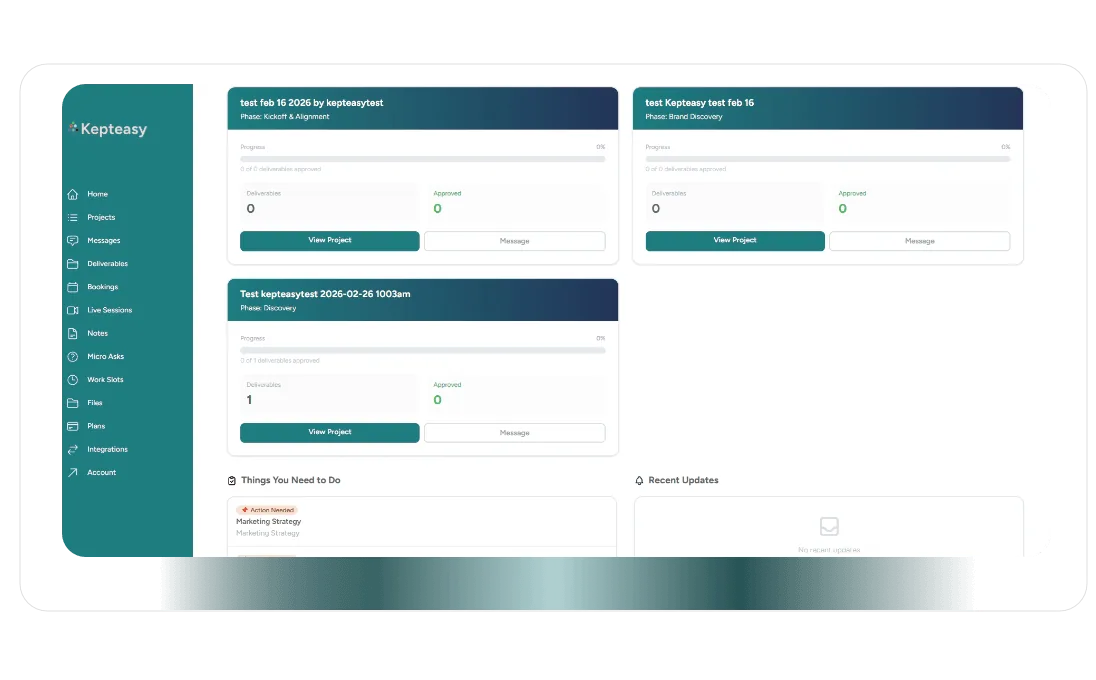
Process Overview

Different kinds of work go in different places — on purpose

Kepteasy Consulting is designed so not everything gets dumped into one thread, one inbox, or one meeting. Faster communication, smaller structured requests, deeper work, and live sessions each have a clearer place in the process.

1

Use messages for ongoing communication

Questions, updates, clarifications, and everyday discussion stay organized in threaded messages instead of scattered emails and texts.

2

Use micro asks for smaller structured requests

When something needs a more specific answer, return, or small deliverable, it belongs in a micro ask where it can be tracked more clearly.

3

Use work slots for deeper queued work

Larger deliverables, reports, and more substantial consulting work enter the work slot queue where priorities, status, and progress are easier to manage.

4

Review deliverables and outputs inside the project context

Reports, plans, analyses, recommendations, and supporting files stay tied to the project and easier to review later.

5

Book live sessions when conversation is the best tool

Live sessions are available when they help move the work forward, but they are not required for every question or request.

6

Keep notes, recordings, files, and follow-up connected

Session notes, recordings, transcripts, files, and next steps stay inside the consulting environment so nothing important disappears after the meeting.

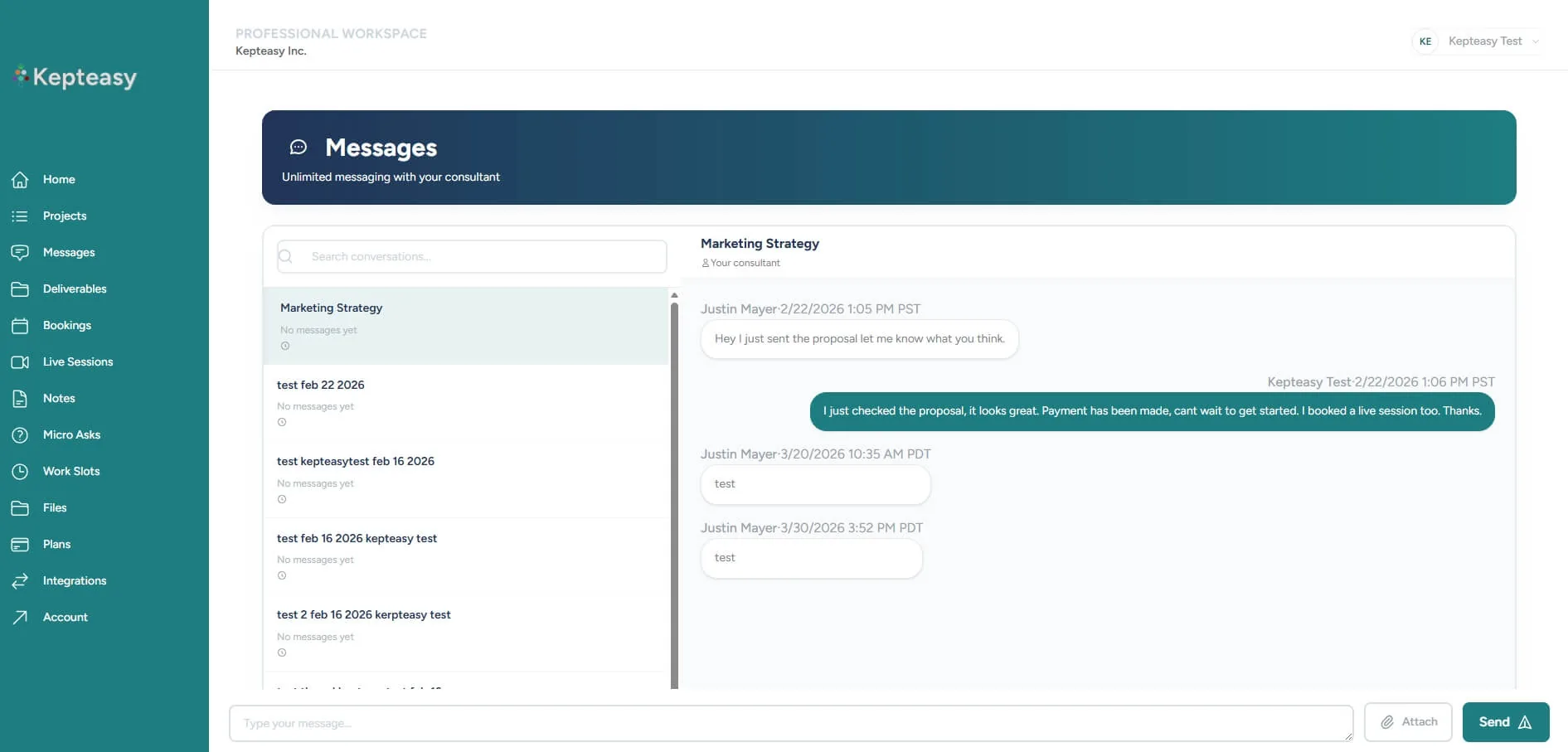
Consulting messages screenshot
Messages

Unlimited communication, organized in a way that is actually usable later

Messages are the always-open communication lane inside Kepteasy Consulting. Instead of relying on messy email chains or random texts, conversations stay inside a threaded system that is easier to search, review, and keep organized over time.

  • Use messages for questions, updates, feedback, clarifications, and ongoing day-to-day communication.

  • Keep conversations grouped by topic or project instead of losing them across disconnected channels.

  • Attach files when needed and keep them tied to the consulting relationship instead of buried in inbox attachments.

Micro Asks

For smaller requests that need more structure than a message

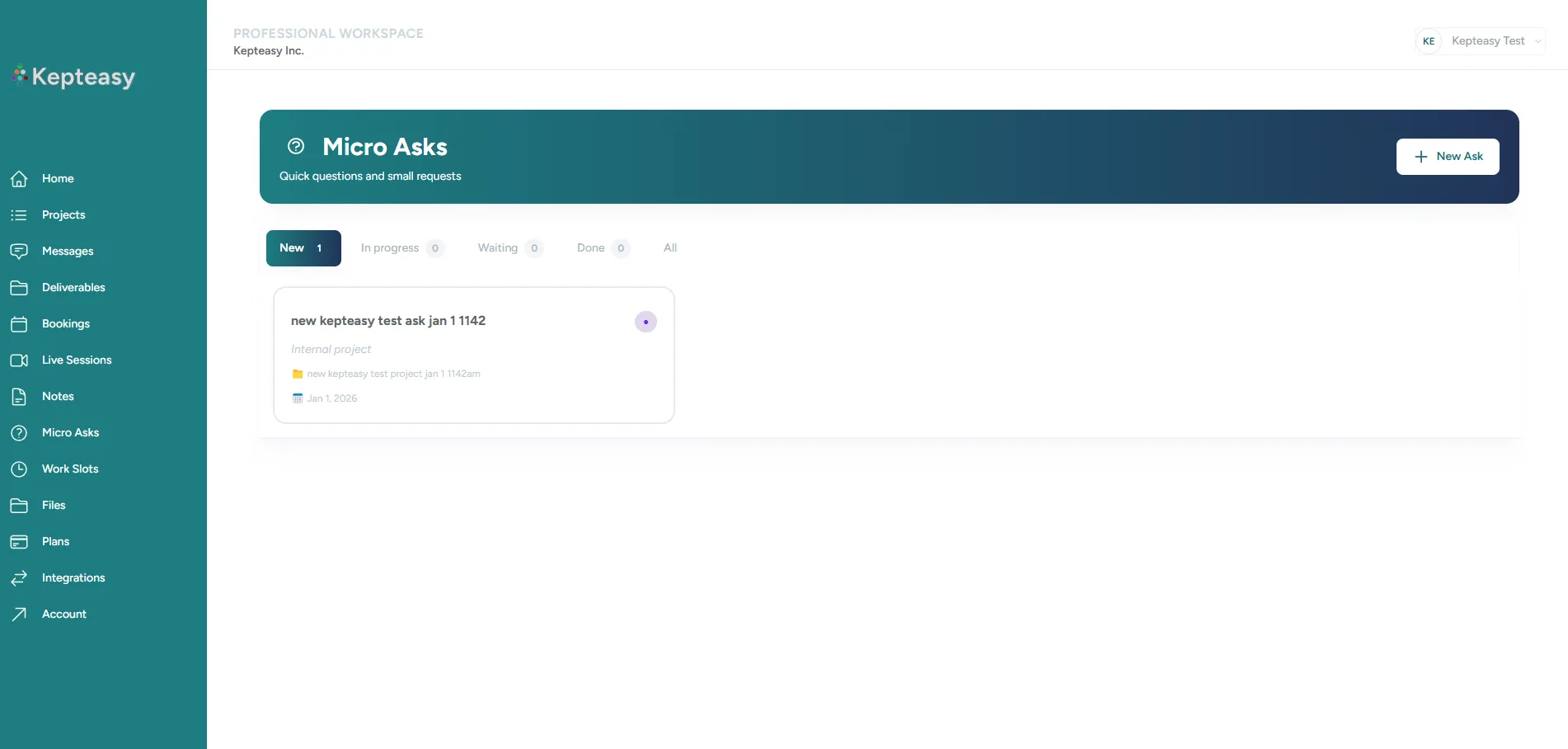
A micro ask is for something more defined than casual communication, but smaller than a major deliverable. It is the right place for focused questions, specific reviews, or small return items that need to be easy to track and easy to find later.

Good fit for

Specific feedback, short reviews, smaller recommendations, and contained requests with a clear expected output.

Why it exists

So important small work does not get buried in a thread and can be followed more clearly from request to response.

Micro asks are unlimited. They help bridge the gap between quick communication and larger queued consulting work.

Consulting micro asks screenshot
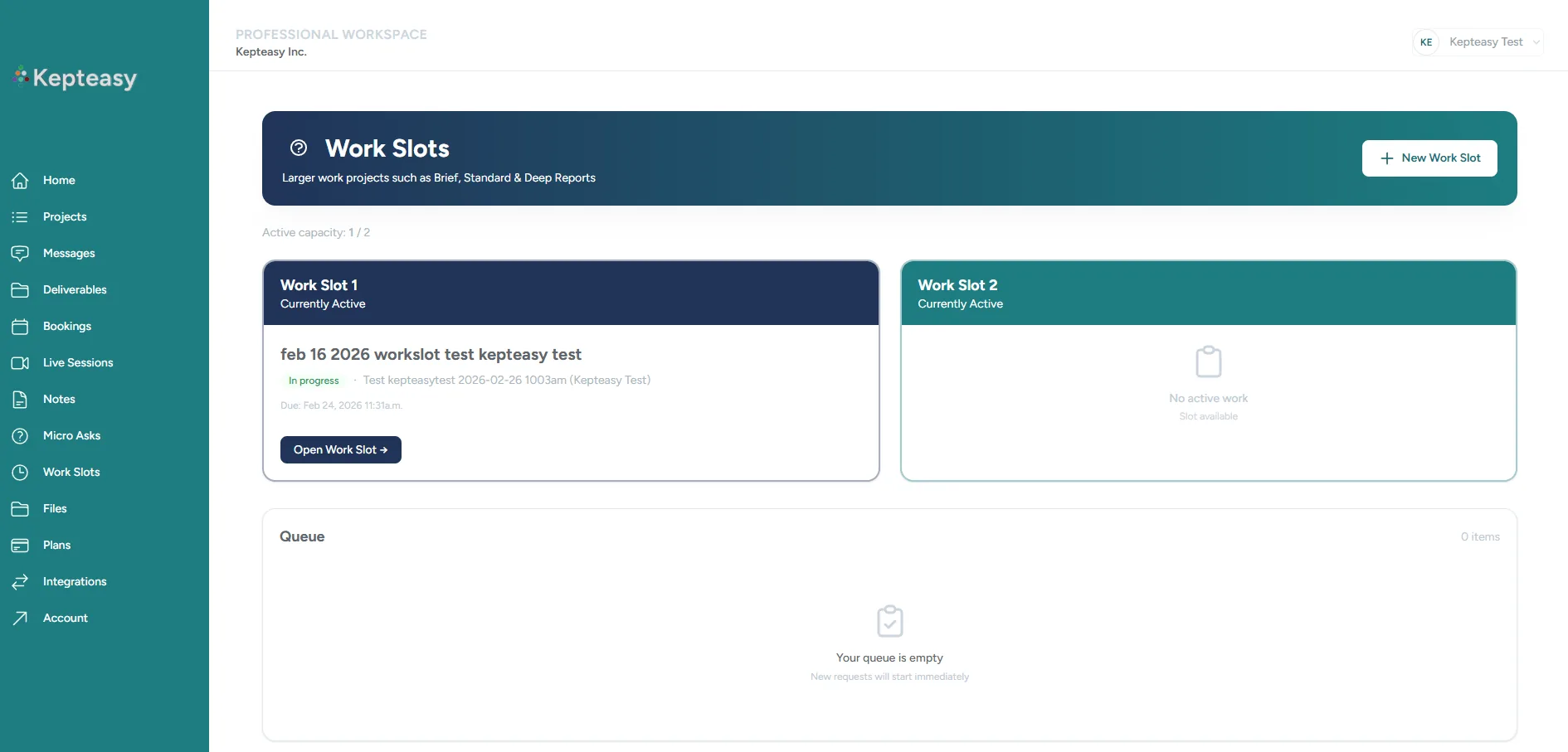
Consulting work slots and deliverables screenshot
Work Slots & Deliverables

Bigger work enters a queue so it stays visible, scoped, and easier to manage

Work slots are the main queue system for deeper consulting work. This is where larger deliverables, structured reports, and more substantial requests live so they can be prioritized, tracked, and moved through a clearer process.

What goes into work slots

Reports, audits, analyses, frameworks, plans, decks, structured recommendations, and other more involved deliverables.

How deliverables are handled

Deliverables stay tied to the project, can be reviewed more clearly, and support a more deliberate process for revisions, status, and follow-up.

Deliverables can range in depth depending on the need:

  • Brief — lighter, faster, more focused work.

  • Standard — more developed structured outputs for meaningful decisions.

  • Deep — larger, more involved deliverables that may span a longer window.

Live Sessions, Notes & Recordings

Meet live when it helps — and keep the outcome available after the call

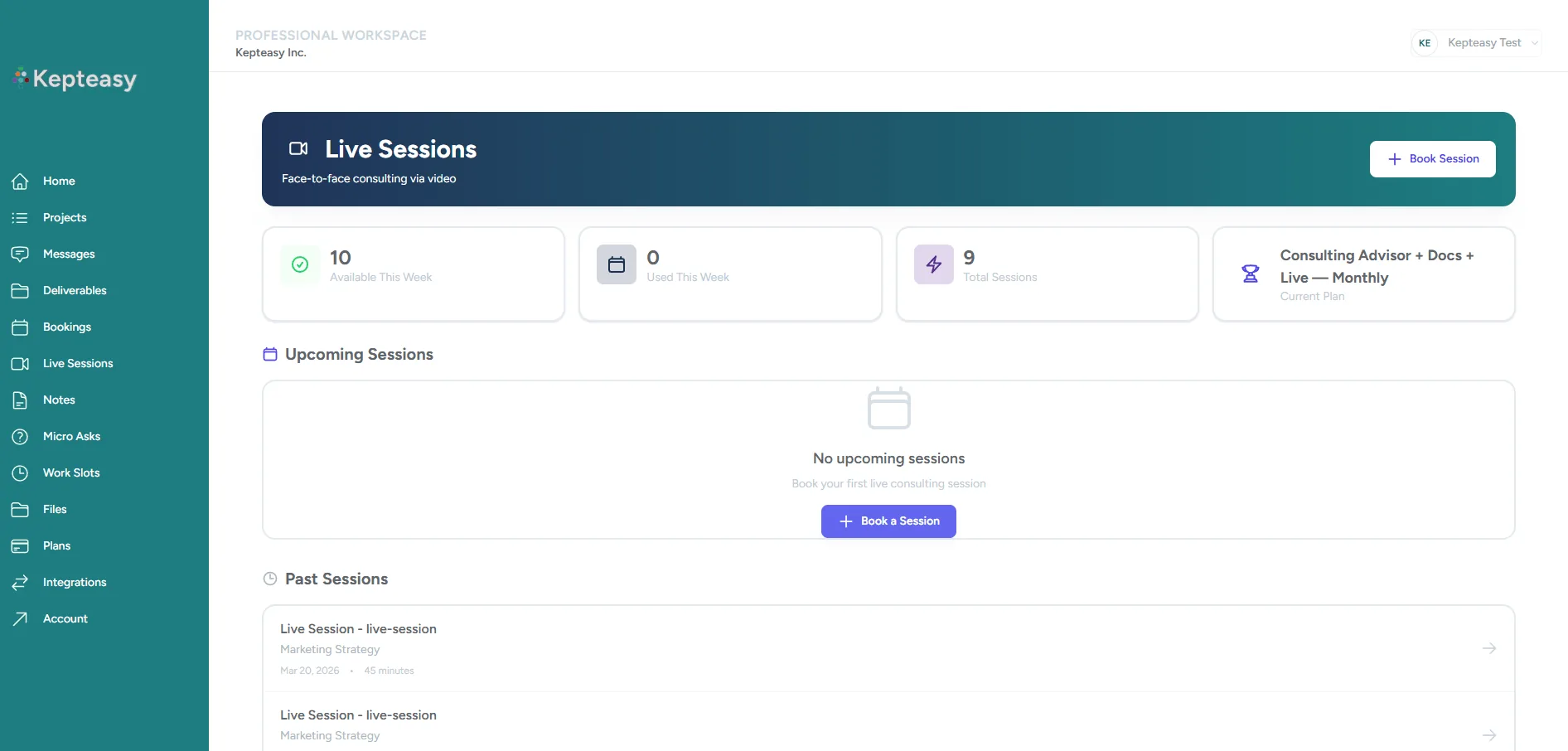
Kepteasy Consulting is async-first, but live sessions are available when conversation is the right tool. The important difference is that the value of the session does not disappear once the call ends.

Live in-platform sessions

Book and join sessions directly through the consulting environment when real-time discussion makes sense.

Auto recordings

Session recordings are made available afterward so clients can revisit the conversation without relying on memory.

Transcripts and notes

Automatic transcripts and editable notes help turn sessions into useful follow-up material.

Better continuity

The session becomes part of the consulting record instead of a separate moment that disappears afterward.

Consulting live sessions and notes screenshot
Files

Supporting files stay part of the consulting workflow too

Sometimes the work needs attachments, documents, screenshots, assets, or supporting material. The consulting app includes a structured place for that instead of forcing important files into inbox attachments or scattered folders.

Upload both ways

Clients and consultants can both upload and download supporting files as needed.

Stay tied to context

Files can stay connected to the project or work they belong to instead of getting lost in a separate system.

Easier to revisit later

When files are part of the consulting environment, finding what matters later becomes much easier.

Why This Works Better

A structured process makes consulting easier to use and easier to trust

The point of this system is not to make consulting feel heavier. It is to make it feel clearer, faster, easier to follow, and more useful over time.

Less chaos

Questions, requests, deliverables, files, and sessions stop competing for space in the same messy channels.

Clearer expectations

Clients can understand what belongs in a message, a micro ask, or a larger work request.

Better continuity

The work builds on itself instead of getting fragmented across calls, docs, and inboxes.

A more premium experience

Clients get a more organized consulting relationship that feels intentional instead of improvised.

Next Step

Explore the plans and see whether the process fits how you want to work

If this structure feels like a better fit than scattered consulting across email, calls, and documents, the next step is to review the consulting plans and see what level of support makes sense.